






















































Download 行書繁 Shin Su Medium Font


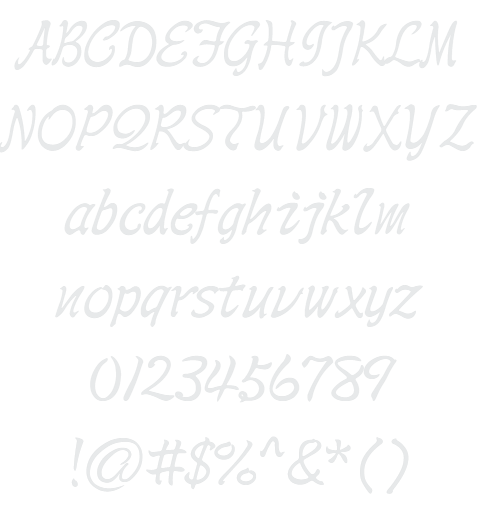
行書繁 Shin Su Medium Example

Download 行書繁 Shin Su Medium - 204.752 downloads


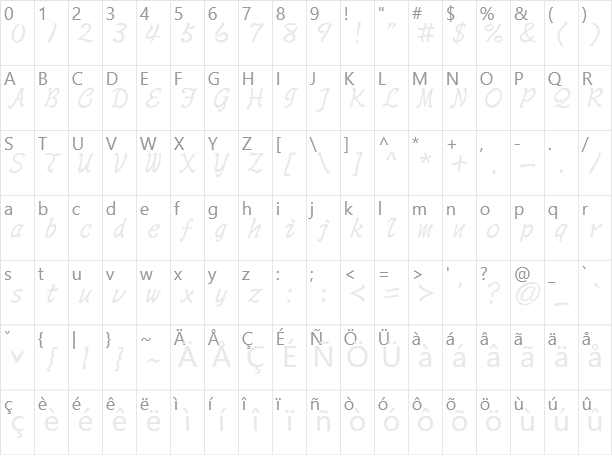
International Unicode Chinese Asian Thin Foreign 行書繁 Shin Su Medium Example 行書繁 Shin Su Medium Character Map

Create a Logo Using 行書繁 Shin Su Medium

Robot Logo Style
Glowing Steel Logo Style
Blinkie Logo Style
Neon Green Logo Style
Starburst Logo Style
Water Logo Style
Flaming Logo Style
Love Logo Style
Princess Logo Style
Trogdor Logo Style
Glitter Logo Style
Gold Trim Logo Style
Frosty Logo Style
Chick Flick Logo Style
Fun Logo Style
Supernova Logo Style
3D Outline Gradient Logo Style
3D Outline Textured Logo Style
Snowman Logo Style
Fantasy Logo Style
Spring Logo Style
Outline Logo Style
Spaced Out Logo Style
Rage Logo Style
Skate Logo Style
Iced Logo Style
Plain Logo Style
Dark Logo Style
Happy New Year Logo Style
Astroman Logo Style
Neon Glow Logo Style
Neon Logo Style
Simple Logo Style
Sword Logo Style
Glossy Logo Style
Fire Logo Style
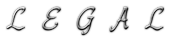
Legal Logo Style
GOLD BEVEL Logo Style
Stranger Logo Style
Gradient Bevel Logo Style
Sugar Logo Style
Easy Logo Style
Comic Logo Style
Tesla Logo Style
White Logo Style
Epic Stone Logo Style
Dragon Logo Style
SAINT Logo Style
Scavenge Logo Style
Gunmetal Logo Style
Iceberg Logo Style
Tribal Logo Style
Candy Stripe Logo Style
Achilles Logo Style
Hot Pink Logo Style
Grinch Logo Style
Happy Joy Logo Style
Plastic Logo Style
Tough Logo Style
Pixel Badge Logo Style
Dark Magic Logo Style
iText Logo Style
Cupid Logo Style
Keen Logo Style
Molten Core Logo Style
Muddy Logo Style
Burning Logo Style

行書繁 Shin Su Medium Example

行書繁 Shin Su Medium Example

行書繁 Shin Su Medium Character Map

行書繁 Shin Su Medium Character Map

Added on segunda-feira, 17 de novembro de 2008
204.752 downloads

Similar Fonts

勘亭流繁 Kan Tan Font 鋼筆行楷繁 GB06 Font 粗鋼體一標準 WCL 07 Font 波卡體一空陰 WCL 03 Font 顏楷體繁 Yan Kai Font

Font Installation Instructions


You may need to extract the .ttf files from a .zip archive file before installing the font.

Windows (XP/Vista/7/8/10)

Right-click on the .ttf file and select install.

MacOS X (10.3 or later)

Double-click on the .ttf file and select install.


Generator Categories

Most Popular Animated (7) Black (13) Blue (17) Brown (8) Burning (6) Casual (5) Chrome (11) Classic (5) Distressed (22) Elegant (11) Fire (6) Fun (10) Girly (7) Glossy (16) Glowing (20) Gold (19) Gradient (6) Gray (8) Green (12) Heavy (19) Holiday (6) Ice (6) Medieval (12) Metal (8) Neon (5) Orange (10) Outline (31) Pink (14) Purple (15) Red (25) Retro (7) Rounded (22) Science-Fiction (9) Script (5) Shadow (10) Sharp (6) Shiny (9) Space (8) Sparkle (7) Stencil (6) Stone (7) Trippy (5) Valentines (6) White (7) Yellow (15)