Download 行書繁 Shin Su Medium Font


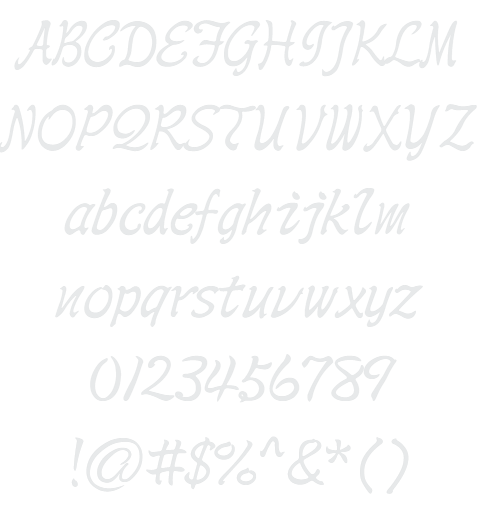
行書繁 Shin Su Medium Example

Download 行書繁 Shin Su Medium - 202.571 downloads


International Unicode Chinese Asian Thin Foreign 行書繁 Shin Su Medium Example 行書繁 Shin Su Medium Character Map

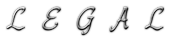
Create a Logo Using 行書繁 Shin Su Medium

Blinkie Logo Style
Miami Logo Style
Trogdor Logo Style
iText Logo Style
Apollo 11 Logo Style
Glowing Hot Logo Style
3D Outline Textured Logo Style
Simple Logo Style
Super Scripted Logo Style
Coffee Cup Logo Style
TROY Logo Style
Scavenge Logo Style
Gold Trim Logo Style
Rage Logo Style
Slab Logo Style
Pixel Badge Logo Style
Dragon Logo Style
Happy New Year Logo Style
Iced Logo Style
Lasers Logo Style
Easy Logo Style
Cupid Logo Style
Gradient Bevel Logo Style
Studio 54 Logo Style
Fun Logo Style
Fantasy Logo Style
Dark Logo Style
Groovy Logo Style
Outline Logo Style
Tribal Logo Style
Happy Joy Logo Style
Romance Logo Style
Stranger Logo Style
Spaced Out Logo Style
Invaders Logo Style
Spring Logo Style
Particle Logo Style
Galactica Logo Style
Black Gold Logo Style
Sugar Logo Style
Ice Cube Logo Style
Plastic Logo Style
Animated Glow Logo Style
Vampire Logo Style
Frosty Logo Style
Tie Dyed Logo Style
Supernova Logo Style
Ballerina Logo Style
Neon Green Logo Style
Glowing Steel Logo Style
Epic Stone Logo Style
Molten Core Logo Style
PURPLE GIRL Logo Style
Gelatin Logo Style
Graffiti Creator Logo Style
Skate Logo Style
Robot Logo Style
Sword Logo Style
Neon Logo Style
3D Outline Gradient Logo Style
Starburst Logo Style
Gunmetal Logo Style
Comic Logo Style
Grinch Logo Style
Felt Logo Style

行書繁 Shin Su Medium Example

行書繁 Shin Su Medium Example

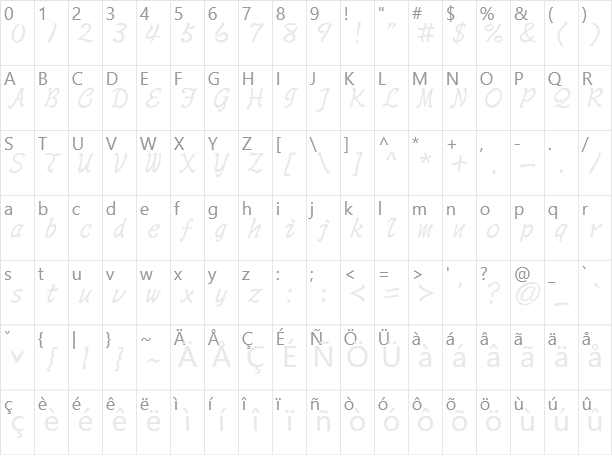
行書繁 Shin Su Medium Character Map

行書繁 Shin Su Medium Character Map

Added on segunda-feira, 17 de novembro de 2008
202.571 downloads

Similar Fonts

勘亭流繁 Kan Tan Font 鋼筆行楷繁 GB06 Font 粗鋼體一標準 WCL 07 Font 波卡體一空陰 WCL 03 Font 顏楷體繁 Yan Kai Font

Font Installation Instructions


You may need to extract the .ttf files from a .zip archive file before installing the font.

Windows (XP/Vista/7/8/10)

Right-click on the .ttf file and select install.

MacOS X (10.3 or later)

Double-click on the .ttf file and select install.


Generator Categories

Most Popular Animated (7) Black (13) Blue (17) Brown (8) Burning (6) Casual (5) Chrome (11) Classic (5) Distressed (22) Elegant (11) Fire (6) Fun (10) Girly (7) Glossy (16) Glowing (20) Gold (19) Gradient (6) Gray (8) Green (12) Heavy (19) Holiday (6) Ice (6) Medieval (12) Metal (8) Neon (5) Orange (10) Outline (31) Pink (14) Purple (15) Red (25) Retro (7) Rounded (22) Science-Fiction (9) Script (5) Shadow (10) Sharp (6) Shiny (9) Space (8) Sparkle (7) Stencil (6) Stone (7) Trippy (5) Valentines (6) White (7) Yellow (15)