Download Primo Bright Font


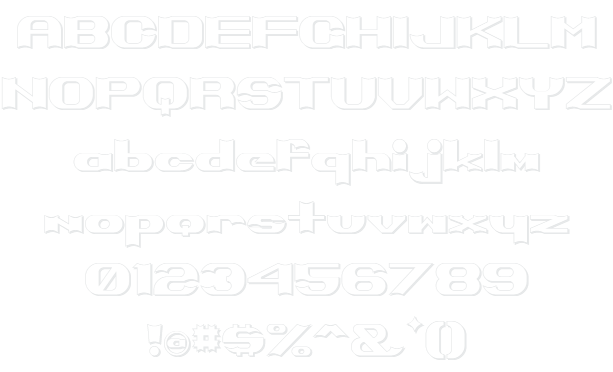
Primo Bright Example

Download Primo Bright - 31.189 downloads

Designed by GreyWolf WebWorks
Outline Heavy Bold Thick Wide Primo Bright Example Primo Bright Character Map

Create a Logo Using Primo Bright

Plain Logo Style
Muddy Logo Style
Merry Christmas Logo Style
Tie Dyed Logo Style
Blinkie Logo Style
Slab Logo Style
Skate Logo Style
3D Outline Textured Logo Style
Glowing Steel Logo Style
Comic Logo Style
DEEJAY Logo Style
Plastic Logo Style
Legal Logo Style
Embossed Logo Style
GOLD BEVEL Logo Style
Studio 54 Logo Style
Astroman Logo Style
Water Logo Style
Epic Stone Logo Style
Cupid Logo Style
Glitter Logo Style
Molten Core Logo Style
Vampire Logo Style
Grinch Logo Style
Alien Glow Logo Style
Starburst Logo Style
Supernova Logo Style
Chick Flick Logo Style
Romance Logo Style
Galactica Logo Style
Tesla Logo Style
Stranger Logo Style
Gold Trim Logo Style
OZONE Logo Style
Club Logo Style
Chrome Two Logo Style
Frosty Logo Style
3D Outline Gradient Logo Style
Miami Logo Style
Fantasy Logo Style
Snowman Logo Style
Saint Patrick Logo Style
Iced Logo Style
Chrome One Logo Style
Chromium Logo Style
Trogdor Logo Style
Glowing Hot Logo Style
Invaders Logo Style
Fun Logo Style
Dark Logo Style
Spring Logo Style
Sushi Logo Style
Keen Logo Style
Dragon Logo Style
Tribal Logo Style
Groovy Logo Style
SAINT Logo Style
Achilles Logo Style
Easy Logo Style
Lava Logo Style
Gold Bar Logo Style
Cheetah Logo Style
Hot Logo Style
Tough Logo Style
Animated Glow Logo Style
Bad Acid Logo Style
Black Gold Logo Style

Primo Bright Example

Primo Bright Example

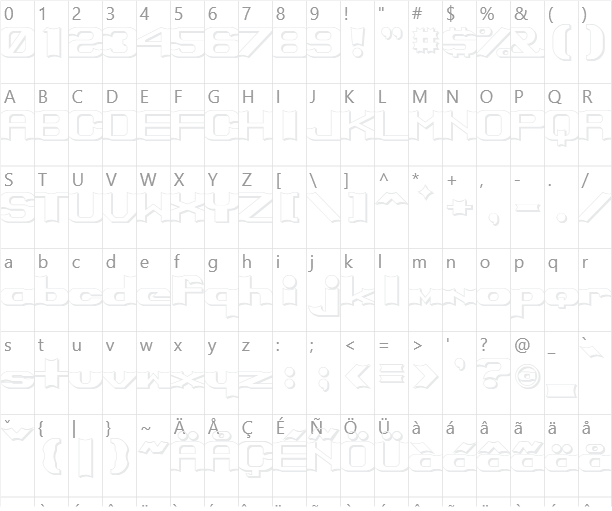
Primo Bright Character Map

Primo Bright Character Map

Added on sábado, 23 de novembro de 2002
31.189 downloads
Designed by GreyWolf WebWorks

Similar Fonts

Babylon5 Hollow Font Dark Crystal Outline Font Basic Font Font Beyond Control Font JustAnotherFont Font

Font Installation Instructions


You may need to extract the .ttf files from a .zip archive file before installing the font.

Windows (XP/Vista/7/8/10)

Right-click on the .ttf file and select install.

MacOS X (10.3 or later)

Double-click on the .ttf file and select install.


Generator Categories

Most Popular Animated (7) Black (13) Blue (17) Brown (8) Burning (6) Casual (5) Chrome (11) Classic (5) Distressed (22) Elegant (11) Fire (6) Fun (10) Girly (7) Glossy (16) Glowing (20) Gold (19) Gradient (6) Gray (8) Green (12) Heavy (19) Holiday (6) Ice (6) Medieval (12) Metal (8) Neon (5) Orange (10) Outline (31) Pink (14) Purple (15) Red (25) Retro (7) Rounded (22) Science-Fiction (9) Script (5) Shadow (10) Sharp (6) Shiny (9) Space (8) Sparkle (7) Stencil (6) Stone (7) Trippy (5) Valentines (6) White (7) Yellow (15)